
Una vez que tus afiliados se registren e inicien sesión en su panel de control de afiliados, verán esta página, en la que podrán consultar sus estadísticas, obtener enlaces y banners para compartir, ver el historial de pagos y mucho más:
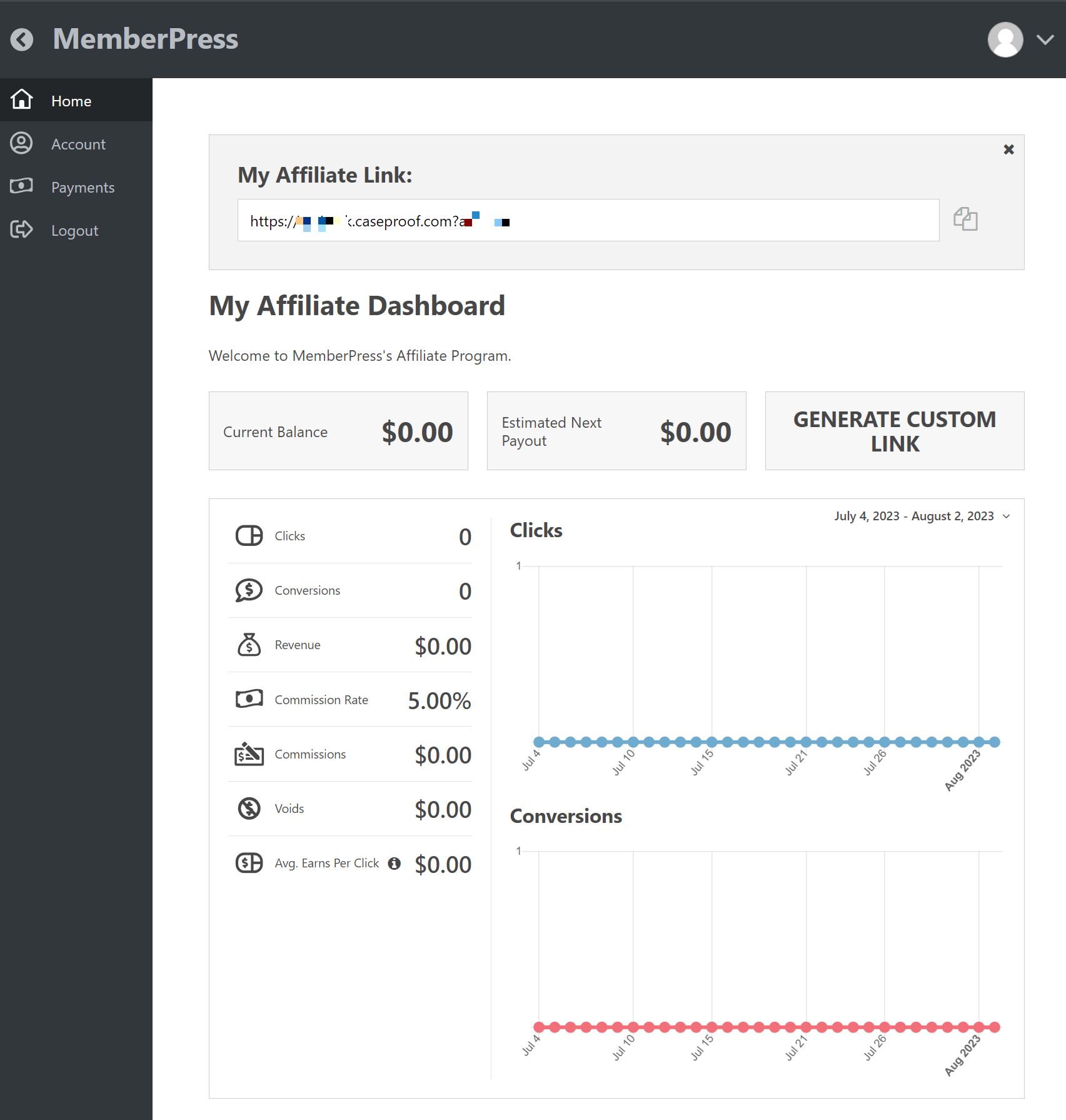
Como puedes ver, en la parte izquierda de la pantalla, los afiliados tienen enlaces a las diferentes secciones que van a utilizar. En la zona principal del panel de control, hay una sección con los enlaces principales de los afiliados (no te preocupes, podrán añadir más) y otra sección que muestra datos estadísticos relevantes para ellos.
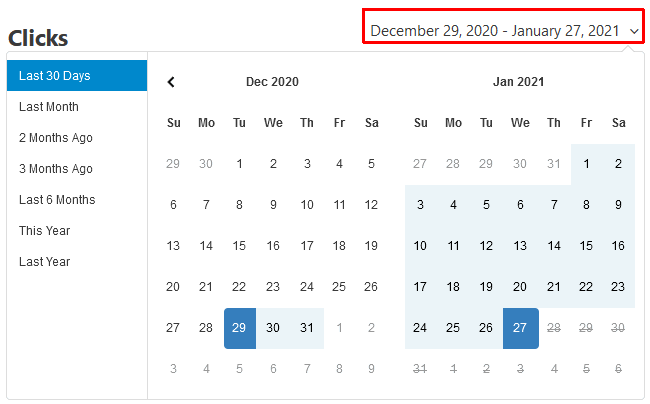
Por defecto, se muestran las estadísticas de los 30 días anteriores, pero los afiliados pueden cambiarlas haciendo clic en el símbolo de la flecha hacia abajo situado junto al intervalo de fechas y seleccionando cualquier periodo de tiempo:
Si un afiliado desea crear sus propios enlaces de afiliado para varias páginas de su sitio, puede hacerlo utilizando el botón Generar personalizado Enlace en la pestaña Enlaces y banners.
