
Grâce à notre intégration ConvertKit, vous pouvez ajouter vos affiliés et leur attribuer des balises au sein de votre liste ConvertKit.
Vous devrez tout d'abord installer notre extension ConvertKit depuis la page Easy Affiliate > Extensions.
Une fois installé et activé, vous pouvez le configurer dans Easy Affiliate > Paramètres > onglet Intégrations.
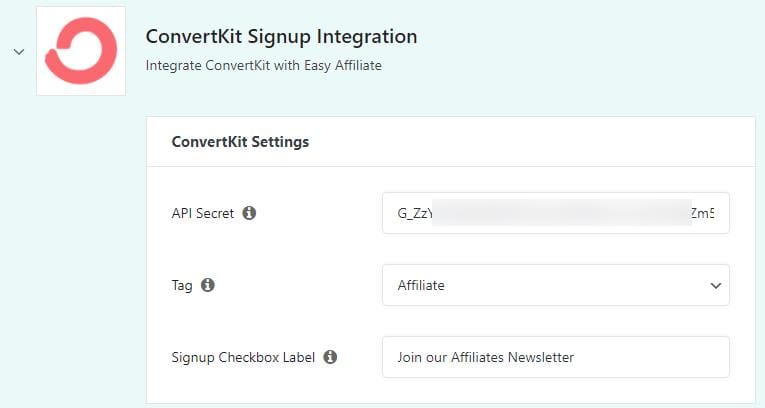
Secret API : Il s'agit de votre secret API dans ConvertKit.com > Paramètres du compte > Infos sur le compte > Secret API > Afficher le secret. Copiez-le et collez-le dans Easy Affiliate Settings.
Tag : Si votre clé secrète API est correcte, vos balises s'afficheront dans ce menu déroulant. Sélectionnez la balise que vous souhaitez attribuer à vos affiliés. Si la balise n'existe pas encore, vous devrez peut-être d'abord l'ajouter dans ConvertKit, l'attribuer à au moins un abonné, puis saisir à nouveau votre clé secrète API pour actualiser ce menu déroulant.
Étiquette de la case à cocher d'inscription : Il s'agit de l'étiquette de texte pour la case à cocher "opt-in" sur le formulaire d'inscription de l'affilié.
