
PayPal 1-Click est le moyen le plus pratique de payer vos affiliés avec Easy Affiliate.
Avant de pouvoir proposer cette fonctionnalité, vous devrez d'abord contacter le service d'assistance PayPal afin de vous assurer que votre compte est éligible aux paiements en un clic. Vous devrez être en mesure de créer une application sur developer.paypal.com.
Une fois que vous aurez vérifié auprès du service d'assistance PayPal que la fonctionnalité « 1-Click » fonctionne bien avec votre compte, vous devrez tout d'abord vous connecter à la Site des développeurs de PayPal avec le nom d'utilisateur et le mot de passe de votre compte PayPal.
Une fois connecté, cliquez sur l'image de votre profil (en haut à droite de la page) et sélectionnez "Mon compte".
À la page suivante, sélectionnez le menu “ Mes applications et identifiants ” dans la barre latérale de gauche.
Assurez-vous que le mode "Live" est sélectionné.
Ensuite, faites défiler vers le bas et cliquez sur le bouton "Créer une application".
Donnez un nom à votre application. Ex : EasyAffiliate Paiements
Sélectionner Marchand comme type d'application.
Cliquez ensuite sur le bouton "Créer une application".
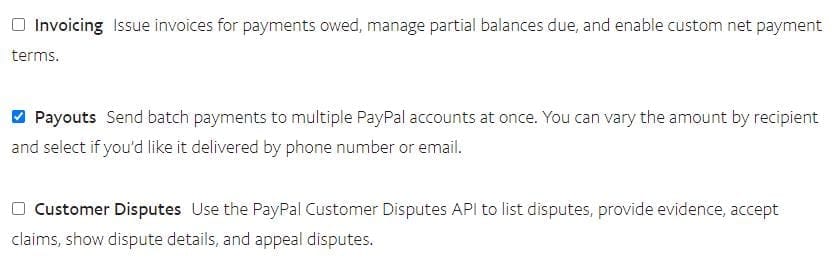
Sur la page suivante, faites défiler vers le bas et assurez-vous que seule la case située à côté de “ Paiements ” est cochée. Vous n'aurez besoin d'aucune des autres fonctionnalités pour cette application.
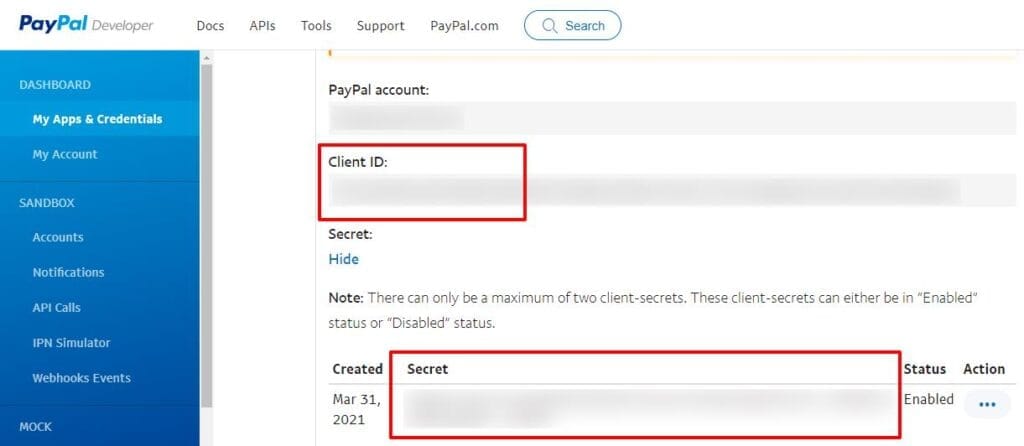
Ensuite, copiez votre Identifiant du client de l'application et Clé secrète de l'application et collez-les dans votre Easy Affiliate > Paramètres > Commissions > Paiements > PayPal 1-Click. Sauvegardez ensuite les paramètres de Easy Affiliate.
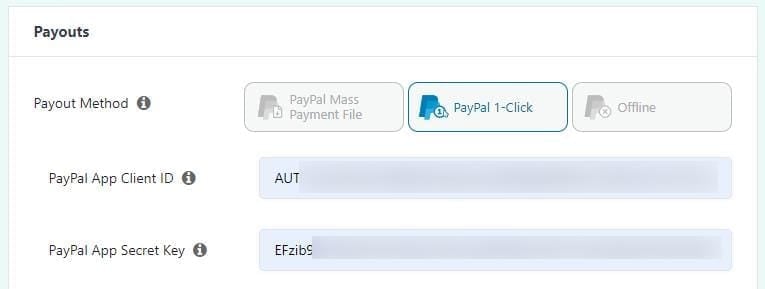
Vous aurez désormais la possibilité de choisir l'option PayPal 1-Click lorsque payer vos affiliés.
Une fois que vous avez rémunéré vos affiliés via 1-Click, vous avez également la possibilité de télécharger le fichier CSV. NE PAS soumettre ce CSV manuellement à Mass Payments, car vous risquez de générer des frais en double. Le CSV est simplement destiné à être conservé dans vos dossiers.
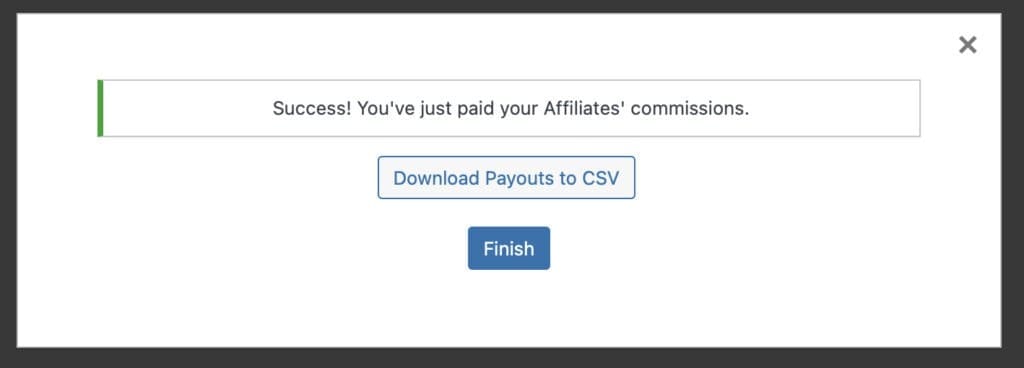
Une fois que vous avez téléchargé le fichier CSV des paiements, cliquez sur “ Terminer ”, et c'est tout.
Remarque : Nous vous recommandons de vous connecter à votre compte PayPal après le paiement afin de vérifier que tous les versements ont bien été effectués. Dans certains cas, un versement peut être refusé par PayPal, et votre affilié ne sera pas payé automatiquement. Vous devrez alors contacter votre affilié et/ou le service client de PayPal afin de vous assurer que les versements destinés à cet affilié ne soient plus refusés à l'avenir.
Que faire en cas de problème ?
Si vous obtenez ces erreurs lorsque vous essayez d'effectuer le paiement via 1-Click PayPal
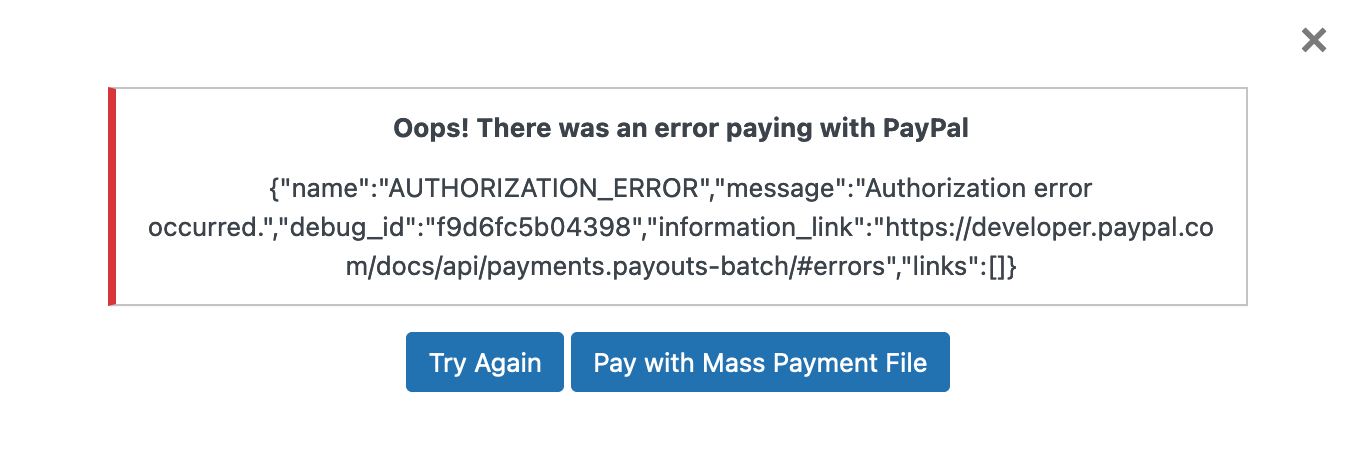
Dans ce cas, veuillez vous rendre à l'adresse suivante https://developer.paypal.com/dashboard/accountStatus et vérifiez si vous avez l'autorisation de payer en mode réel - https://share.cspf.co/WnuxGQ9n.
Si ce n'est pas le cas, vous pourrez peut-être l'activer depuis cette page (si vous disposez d'un compte PayPal américain) ; sinon, vous devrez contacter PayPal et leur demander d'activer la fonction « Payouts » sur votre compte. Une fois qu'une coche verte apparaîtra dans l'état du compte (capture d'écran ci-dessus), cela devrait fonctionner dans Easy Affiliate.
Vous obtenez ce message après avoir essayé d'effectuer le paiement en 1-Click :
"Oups ! Il y a eu une erreur de paiement avec PayPal. Aucun paiement valide n'a été trouvé."
Veillez à ce qu'une adresse e-mail PayPal soit saisie pour tous vos affiliés.
Veuillez également noter que vous ne pouvez pas payer plus de 500 affiliés en une seule fois. Si vous en avez davantage, vous devrez procéder en deux fois.
Si le paiement est traité et marqué comme « payé », alors qu'il a en réalité échoué du côté de PayPal
Vous devrez aller dans l'onglet Historique des paiements et supprimer l'enregistrement. Il sera alors possible de réexécuter le PayPal 1-Click pour cette transaction.
